ModsCode / Gallery / Designs / Keyboard shortcuts
Keyboard shortcuts
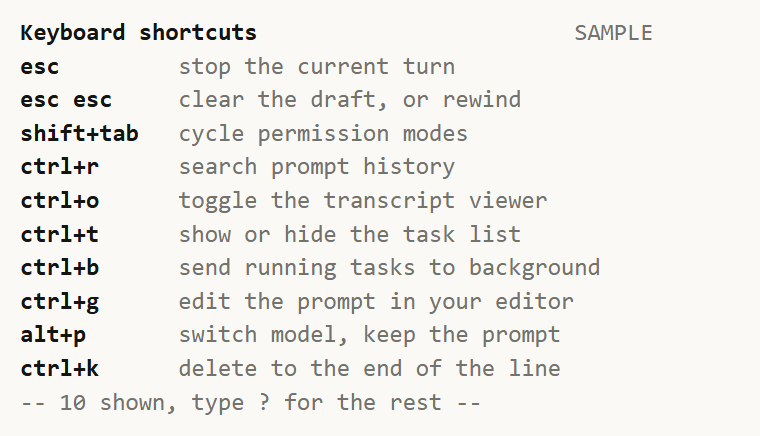
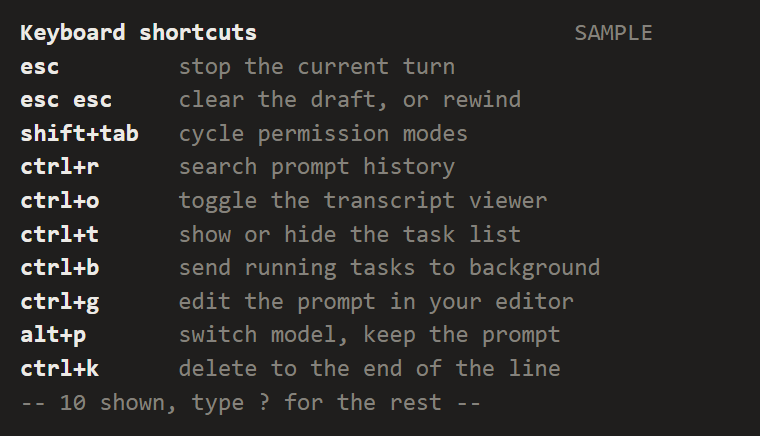
A shortcut card in Box and Text: bold key chips in one padded column, dim actions beside them, a counted footer.
hooks/designs/shortcut-card.mjs
// shortcut-card: ten Claude Code keyboard shortcuts as Box and Text only, one per line in two columns.
// The key is the chip: bold and padded to 12 columns, so every action starts at column 13 in a
// monospace face and the keys read as a column of their own. Actions are dim, because the eye scans for
// the key it half remembers and only then reads what it does. No colour: ten coloured keys would be ten
// accents. Same frame as the other text designs: bold subject, muted SAMPLE at column 48, muted summary
// last, counted from the rows so it cannot drift. The bindings and what they do were checked against
// code.claude.com/docs/en/interactive-mode on 2026-10-09; the wording is shortened to fit 36 columns.
// Sample data only.
const HEAD = 'Keyboard shortcuts'
const WIDTH = 48
const TAG = 'SAMPLE'
const KEY = 12 // the key column, gap included; actions get the other 36

const ROWS = [
  ['esc', 'stop the current turn'],
  ['esc esc', 'clear the draft, or rewind'],
  ['shift+tab', 'cycle permission modes'],
  ['ctrl+r', 'search prompt history'],
  ['ctrl+o', 'toggle the transcript viewer'],
  ['ctrl+t', 'show or hide the task list'],
  ['ctrl+b', 'send running tasks to background'],
  ['ctrl+g', 'edit the prompt in your editor'],
  ['alt+p', 'switch model, keep the prompt'],
  ['ctrl+k', 'delete to the end of the line'],
]

export default {
  id: 'shortcut-card',
  title: 'Keyboard shortcuts',
  category: 'work',
  description: 'A shortcut card in Box and Text: bold key chips in one padded column, dim actions beside them, a counted footer.',
  element: ui => {
    const { Box, Text } = ui
    return Box({
      flexDirection: 'column',
      children: [
        Text({
          key: 'head',
          children: [
            Text({ key: 'name', bold: true, children: [HEAD.padEnd(WIDTH - TAG.length)] }),
            Text({ key: 'tag', dimColor: true, children: [TAG] }),
          ],
        }),
        ...ROWS.map(([key, action], i) => Text({
          key: `r${i}`,
          children: [
            Text({ key: 'k', bold: true, children: [key.padEnd(KEY)] }),
            Text({ key: 'a', dimColor: true, children: [action.slice(0, WIDTH - KEY)] }),
          ],
        })),
        Text({ key: 'sum', dimColor: true, children: [`-- ${ROWS.length} shown, type ? for the rest --`] }),
      ],
    })
  },
}
To use it in a mod: copy the file to your mod's hooks/designs/ and return its element(ui) from a pane's ui.render. How a pane is built.
Code: PolyForm Noncommercial License 1.0.0: noncommercial use only. Required Notice: Copyright 2026 Haruki Nakada (https://modscode.com).